
For off-plan marketing, we recommend commissioning a specialist CGI studio such as Visual Trick – CGIs and animations to deliver a compact set of print-ready exteriors, interiors and floorplans. One consistent image set serves the printed brochure and every digital channel. Keep every image accurate under the ASA and the CAP Code, because misleading visuals create real regulatory exposure.
TL;DR:
- Prioritize a street context view, key living spaces, and matching floorplans; add animation online, while keeping the printed brochure focused on a coherent sequence.
- Request 300 dpi print files in the printer’s accepted CMYK profile, plus sRGB JPG or WebP web images and landscape, square, and portrait crops.
- Send plans, elevations, materials, and unit variants with a named approver; consolidated feedback at each agreed revision stage helps prevent delays from conflicting comments.
- Place optional upgrade qualifications beside the image, as prominently as price claims; reassess every placement after design changes and retire outdated visuals.
- A standard set typically takes weeks, while aerials, verified views, and animation often cost extra; late material or layout changes can extend delivery.
Table of Contents
- Why CGI matters for property brochures
- Which types of CGI belong in a brochure?
- How do you brief a CGI studio for brochure images?
- What deliverables and file specs do print and digital brochures need?
- What does brochure CGI cost and how long does it take?
- What must brochure CGI comply with under UK advertising rules?
- How do you collaborate with a CGI provider to refine visuals?
- How do you update CGI visuals as a project evolves?
- How does CGI strengthen investor and stakeholder presentations?
- What does a successful property brochure CGI look like in practice?
- How do you target different buyer personas with CGI?
- How do you integrate CGI into the overall brochure design?
- Studio perspective: why commissioning brochure CGI from one accountable supplier works
- How Visual Trick helps with brochure imagery
- FAQ
- Sources
Why CGI matters for property brochures
When a development is still a drawing and a hole in the ground, your brochure has to do the selling. Real estate CGI lets you show a finished, controlled vision of the scheme before it exists, with the lighting, landscaping and street context you choose. A buyer cannot walk a plot that has not been built, so the images carry the whole first impression.
Beyond the brochure itself, the same assets keep paying back:
- Clear finishes: well-made renders show materials, ceiling heights and room proportions in a way a flat plan never can.
- Campaign consistency: one image set feeds the printed brochure, the website, portal listings and social posts, so every channel tells the same story.
- Reusable for approvals: images developed for marketing often support planning visuals and investor material later on.
- Faster sales conversations: sales teams can point to a specific view or room rather than describing it.
- Fewer surprises: agreeing the visuals early forces design decisions, such as facade materials and landscaping, to be settled before buyers see them.
The commercial logic is simple: the clearer the picture, the fewer questions buyers need answered by a person.
Which types of CGI belong in a brochure?
A brochure rarely needs everything. Choose the images that carry the narrative from street to front door to living room.
- Exterior stills: a hero shot, plus context and street-scene views that place the building in its surroundings. Our exterior CGI work usually opens a brochure.
- Interior stills: key room compositions, typically the main living space, kitchen and one bedroom, with finish variants where buyers can choose.
- Aerial views and verified photomontage: these show site context, access and neighbouring buildings, and sit naturally beside CGI photomontage and verified views.
- 2D and 3D floorplans, with sectional views: buyers compare layouts first, so clean plans earn their page space.
- Virtual staging: furnished rooms show scale and use, and optional finishes can be presented clearly as options.
- Short animations: for digital brochures and landing pages, a brief flythrough or 3D animation adds movement without bloating the print edition.
You can browse examples of finished interior and exterior stills in our portfolio.
How do you brief a CGI studio for brochure images?
A complete brief is the single biggest lever on revisions. Work through this checklist before you send anything:
- Send the source drawings: plans, elevations, sections, materials schedule and site orientation.
- Define unit variants: state which unit types need images and which finishes are standard or optional upgrades.
- Write a shot list: name each view, the angle, time of day and any lifestyle direction such as people, cars or planting.
- Set approval checkpoints: agree draft stages, who signs off and how many revision rounds are included.
- Fix export requirements: confirm print sizes, digital resolutions and file formats up front.
- Settle usage rights: specify where and for how long the images may be used, to avoid licence friction later.
Pro Tip: Name one decision-maker on your side and send a single consolidated set of comments per round. Conflicting feedback from several people is the quickest way to double a revision cycle.
Our property architect visualisation checklist goes further if you want a longer template.
What deliverables and file specs do print and digital brochures need?
Printers and web teams want different things, so ask for both from the outset rather than converting later.
- Print: layered PSD or flattened TIFF at 300 dpi, supplied with a CMYK profile your printer accepts, and with crop and bleed guidance agreed in advance.
- Digital stills: sRGB JPG or WebP for the web, kept light enough to load quickly.
- Animation: MP4 or WebM, with a short loop version for social channels.
- Multiple crops: landscape, square and portrait versions of hero images save your designer hours.
- Naming and versioning: clear filenames with version numbers, plus metadata describing the view.
- Option labelling: mark optional upgrades versus standard finishes in the filename and metadata, so nobody drops an upgraded image next to a standard price by accident.
Brand rules matter here too. If your brochure follows a written style guide, guidance on creating brand guidelines helps keep CGI colour treatment and typography aligned with the rest of the layout.
What does brochure CGI cost and how long does it take?
Pricing normally takes one of three shapes: per image, per scene, or a packaged rate for a defined set. Aerials, verified views and animation are typically priced as extras. Cost then moves with complexity, the number of unit variants and the licence you need.
For a reference point on typical bands, see our page on property CGI costs. Treat any published example as a guide rather than a quote, because your scheme’s detail drives the final figure.
On timing, expect this rhythm:
- First drafts: a working draft of each view, reviewed against your shot list.
- Revision rounds: one or two consolidated rounds, depending on what the brief allows.
- Final delivery: high-resolution files in the formats you specified, typically a matter of weeks for a standard set.
A complete brief and a single decision-maker are the two things that most reliably shorten the schedule. Late changes to materials or layouts are what lengthen it.
What must brochure CGI comply with under UK advertising rules?
The CAP Code covers non-broadcast marketing, including brochures, websites and printed material, and requires that marketing must not materially mislead. The Consumer Protection from Unfair Trading Regulations sit alongside it. Practical checkpoints:
- Qualify optional upgrades: if an image shows features that cost extra, add text such as “image includes optional upgrades at additional cost” directly beside the image, as prominent as the price claim.
- Match price to image: where possible, quote prices for the product actually pictured. The ASA’s guidance on new-build and off-plan homes repeats this.
- Do not rely on small print: a disclaimer does not cure a misleading impression unless it is equally prominent and accurate.
- Reassess every time: Warwickshire Trading Standards advises assessing each image each time it is published, and warns that indiscriminate reuse of artist impressions is likely to be misleading.
- Be upfront with limitations: the ASA says significant limitations and qualifications must be made immediately clear, and that marketers must not stretch facts.
The stakes: the Competition and Markets Authority can impose penalties of up to 10% of global turnover or £300,000 for misleading practices, so a clean approvals step is cheap insurance.
There is a precedent worth knowing: in 2012 the ASA ruled against a housebuilder that placed an unqualified “from” price beside a home shown with higher-specification upgrades.
How do you collaborate with a CGI provider to refine visuals?
Good collaboration is mostly about structure. Agree a rhythm at the start: a kick-off call, a first draft, one consolidated feedback round, and a final check. Everyone then knows when comments are welcome and when the work is locked.
Give feedback in terms of the outcome, not the technique. “The kitchen feels dark and cold for a family buyer” is far more useful than a list of lighting values, because the studio can then solve the problem in the way that suits the scene. Mark comments directly on the draft image, number them, and say which are essential and which are preferences.
Share reference material early: a competitor scheme whose mood you like, a materials sample, a photo of the street. A single reference photograph often saves a whole revision round.
Keep a short decision log. When a finish, a tree species or a window style is agreed, record it, so a later comment does not quietly reverse an earlier approval. Revisiting settled decisions is the most common source of schedule slip.
Finally, flag changes in the design as soon as you know about them. Telling the studio before a draft is built costs a conversation. Telling them afterwards costs a rework. Studios that produce everything in-house, as we do, can usually absorb early changes smoothly because there is no hand-off between teams to untangle.
How do you update CGI visuals as a project evolves?
Developments rarely build exactly as first drawn. Planning conditions alter a facade, a supplier changes a brick, a unit mix shifts. Each change has to flow back into the imagery, or your brochure drifts away from what will be built.
Start by treating the CGI files as a controlled asset. Keep the master scene files and version numbers, so an update means editing the existing scene rather than rebuilding it. That keeps cost and timing proportionate to the change.
Decide what triggers a revision. Anything a buyer would reasonably rely on should: external materials, window positions, balcony sizes, landscaping that defines the setting, and the finishes shown in interiors. Purely cosmetic changes, such as a different planter, can wait for the next scheduled refresh.
Compliance enters here as well. Because Trading Standards advice is to assess an image each time it is used, an updated scheme means rechecking every placement of the old image, in print stock, on portals and on social channels, and retiring the outdated ones.
Plan for stage-based refreshes. Early images may be concept-led, and later ones can be tightened with approved materials and real site photography as construction progresses. Budget a small allowance for updates from the beginning, so a design change is a planned task rather than an argument about cost.
How does CGI strengthen investor and stakeholder presentations?
Brochure imagery is only the start of what a CGI set can do. Investors, lenders, planners and council members all need to understand a scheme quickly, and most are not trained to read drawings.
For investors, a small set of clear visuals communicates quality and market positioning in a single slide. A hero exterior, a representative interior and a site-context aerial answer the first three questions most people have: what is it, who is it for, and where does it sit. Our guide to investor deck visuals describes image types that tend to be expected.
For planning stakeholders, accurate context views carry more weight than glossy ones. The same models behind your brochure can be developed into verified views, and our overview of the role of visuals in planning permission explains how that works. Building the marketing set from a single model at the outset means the planning and sales images stay consistent.
Beyond that, the assets travel well: a short animation for a board meeting, floorplans for a lender, and a cut-down set for a joint-venture partner. Because everything comes from one source, you avoid the inconsistencies that appear when different suppliers each interpret the drawings.
The practical advice is to scope the set once, with all of these uses in mind. Licence terms should cover them, so you are not renegotiating rights each time a new audience appears.
What does a successful property brochure CGI look like in practice?
We cannot quote sales results for a scheme without the client’s own figures, so here we describe the patterns that separate effective brochure sets from forgettable ones, which you can check against the work in our brochure and postcard examples.
A confident hero image. The opening spread carries one strong exterior at the right time of day, with believable landscaping and surrounding buildings. It makes a promise the rest of the brochure then keeps.
A deliberate sequence. Strong brochures move the reader from street to entrance to living space to bedroom, rather than scattering unrelated views. Each image answers the question the previous one raised.
Honest optional finishes. Where a kitchen or bathroom shows an upgrade, the qualifying text sits beside it, in line with the ASA expectation described earlier. Buyers trust brochures that are plain about what is standard.
Floorplans that match the renders. When the plan, the section and the interior all show the same layout and window positions, the brochure feels credible. Mismatches are the quickest way to lose a careful buyer.
Variety without clutter. A small set of well-chosen images, with a single animation online, outperforms a bloated gallery in clarity, and is easier to keep accurate as the scheme changes.
When you assess any example, ask three questions: does it show only what will be built, does it make the options clear, and could a buyer reconstruct the layout from the pages alone?

How do you target different buyer personas with CGI?
One scheme often has several audiences, and the same building can be shown in different ways without changing what is true about it. The images stay accurate. What shifts is the emphasis.
For first-time buyers and young professionals, lean towards compact, well-planned interiors, social spaces and transport context. Evening lighting and a lived-in feel suggest a place to come home to. For downsizers, show light, space, ease of access and quiet outdoor areas. For families, show gardens, play space and safe streets. For investors and buy-to-let purchasers, lead with the location, specification and floorplan efficiency.
Virtual staging is the useful tool here. Furnishing and styling a room for a particular audience is a decision about presentation, and it can be varied across brochure editions or digital landing pages. Keep the architecture, finishes and layout constant, so every version stays faithful to the scheme.
Segment through format as well. A printed brochure suits a considered, high-value purchase, while short animation and cropped social images suit audiences who first meet the scheme on a phone. Our CGI for developers page describes how we scope sets for different channels.
Whatever the persona, apply the same compliance test: does this image, in this placement, give a fair picture of what a buyer will receive?

How do you integrate CGI into the overall brochure design?
CGI works best when it is planned with the layout, not dropped in afterwards. Share the brochure’s page structure with the studio early, so images are composed for their actual position: a full-bleed hero needs room for a headline, while a half-page interior needs a calmer foreground.
Agree a visual language across the whole piece. Colour grading, time of day, and the level of people and props should match from page to page, and should echo your typography and palette. A written style guide, of the kind described in this guide to creating brand guidelines, makes that agreement easy to hold across suppliers.
Think about hierarchy. One or two images should dominate each spread, supported by smaller ones, with floorplans given clean white space. Copy should reinforce what the picture shows rather than repeat it.
Then connect the brochure to the rest of the campaign. The same renders should appear, in matching crops, on the website, in portal listings, in email and on social channels. Our note on how 3D rendering complements content marketing covers this in more depth. Build one master set, derive every format from it, and keep a register of where each image is used. That register is also what makes the later compliance check, and any update, straightforward.
Studio perspective: why commissioning brochure CGI from one accountable supplier works
My view is that most delays in brochure imagery come from hand-offs, not from rendering. When one studio models, lights, renders and exports in-house, comments reach the person doing the work, and approvals move quickly. Plan the deliverables for print and digital together from day one, and make the advertising-rules check a formal approval step, not an afterthought.
— Paride
How Visual Trick helps with brochure imagery
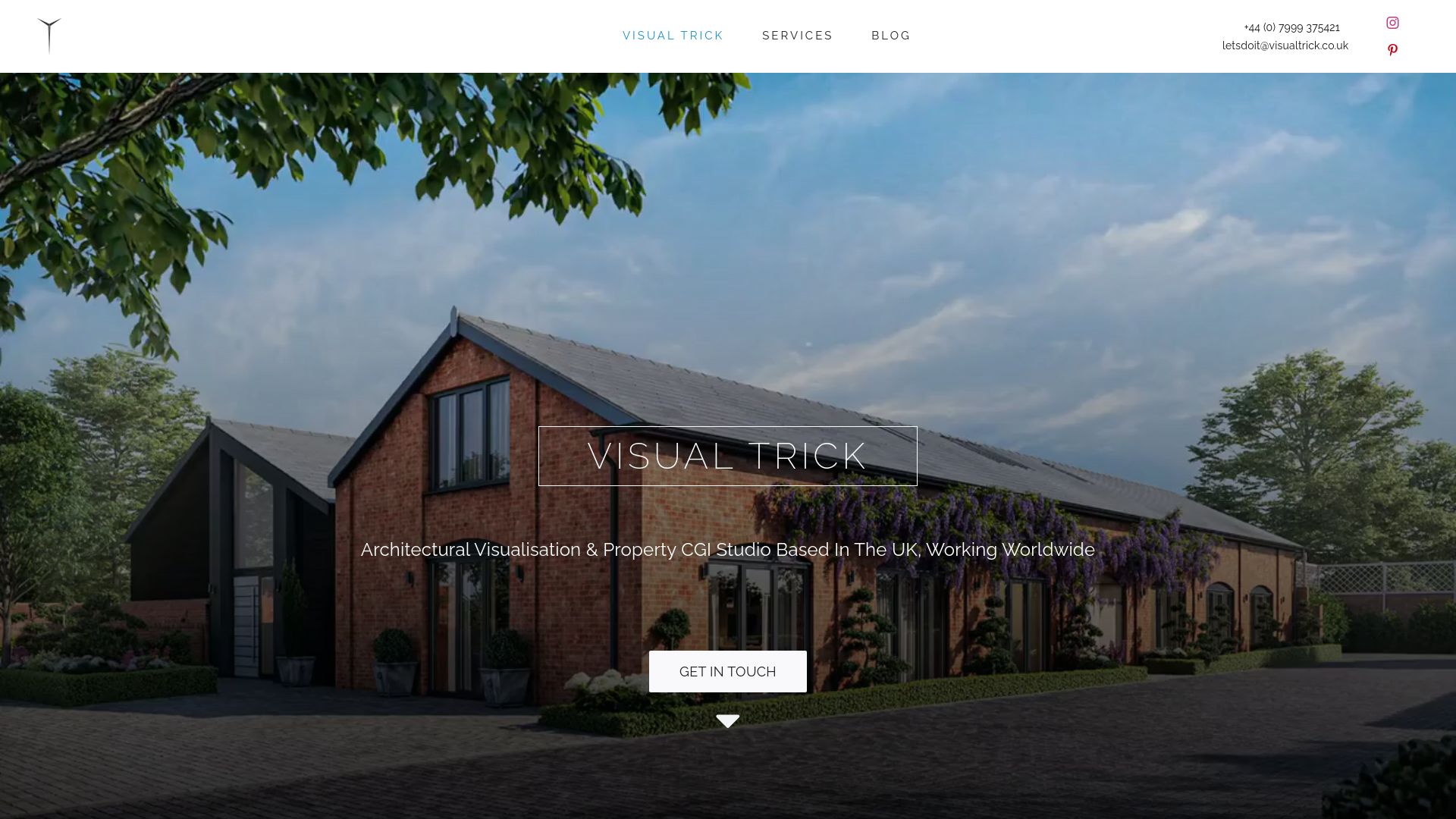
If your scheme is on sale before it is built, we can produce the full brochure set for you, in-house, to a schedule you can plan around:
- Property CGI for marketing and listings
- Exterior and interior CGI for hero and room views
- Planning visuals, including photomontage and verified views
- Floorplans, virtual staging and animation for digital brochures
Send us your drawings, materials, intended shot list, print sizes and target launch date, and we will return a quote and timeline. Start at our services page and tell us about your project.
FAQ
What is CGI in property marketing?
CGI means computer-generated imagery: photorealistic images built from architectural drawings. In property it shows homes, buildings and landscapes before they are built, for use in brochures, listings and planning material.
What is a property brochure?
A property brochure is a printed or digital document that presents a development to buyers, using images, floorplans, specification and location information. It falls within the scope of the CAP Code, so its content must not mislead.
How do you make a brochure for real estate?
Start with a clear shot list and the source drawings, commission consistent exterior, interior and floorplan images, then lay them out with accurate copy. Qualify any optional upgrades beside the images they appear on, and check every image before publication.
Do CGI images need disclaimers?
If an image shows optional extras, the qualifying text must sit beside it and be as prominent as the price, according to the ASA’s guidance. A disclaimer alone does not fix an image that is otherwise misleading.
Sources
- Legalvision
- Insidehousing
- The CAP Code
- Keeping your house in order – ensuring your marketing complies with the CAP Code
- Primary Authority Partnership Warwickshire County Council Trading Standards Old Budbrooke Road, Warwick, CV35 7DP
